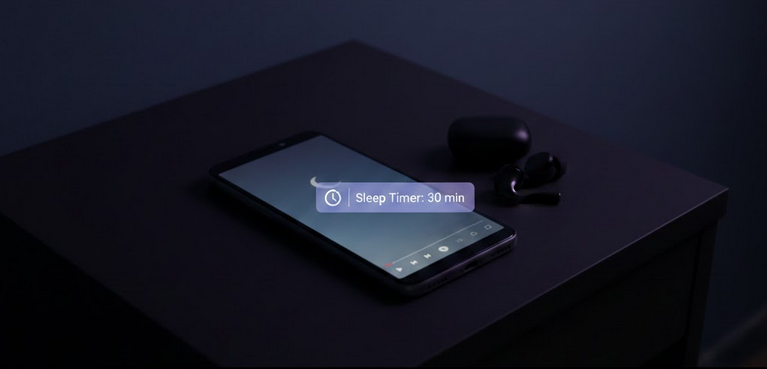
Many people fall asleep while listening to YouTube content — music playlists, ASMR, ambient sounds, podcasts, or audiobook readings. The problem is that YouTube keeps playing videos all night, draining your battery, consuming data, and filling your watch history with content you never actually watched. A sleep timer solves this by automatically stopping playback after a set duration.
Does YouTube Have a Built-In Sleep Timer
YouTube introduced a basic Remind Me to Take a Break feature, but it is not a true sleep timer. It shows a reminder notification after a set time, but playback continues unless you manually pause it. This means if you are asleep, the reminder is useless and videos keep playing indefinitely. A proper sleep timer that stops playback automatically is what most users need.
Using Android’s Built-In Timer
Android devices have a built-in Digital Wellbeing feature that can function as a basic sleep timer for any app. You can set an app timer specifically for YouTube that pauses the app after a defined daily usage limit. While not designed specifically for sleep timing, it works as a simple workaround.
- Open Settings: Navigate to Digital Wellbeing and Parental Controls.
- Select Dashboard: Find YouTube in your app usage list.
- Set App Timer: Define a time limit for YouTube usage. The app pauses when the limit is reached.
Third-Party Sleep Timer Apps
Dedicated sleep timer apps provide more precise control over when YouTube stops playing.
- Sleep Timer App: Set a countdown that automatically pauses all media playback when it reaches zero.
- Tasker: An automation app that can stop YouTube playback at a specific time or after a set duration.
- Google Clock: Set a regular alarm-style timer and manually stop playback when it goes off, though this requires waking up briefly.
Sleep Timer with YouTube Vanced
YouTube Vanced works seamlessly with all third-party sleep timer applications. Since Vanced supports background play by default, you can listen to content with your screen off while a sleep timer runs in the background. When the timer triggers, playback stops cleanly. No ads interrupt your relaxation session, and SponsorBlock ensures even bedtime playlists play without sponsored interruptions.
With Vanced MicroG handling account sync, your sleep playlists and liked videos remain accessible every night. Set up your routine once and enjoy it consistently.
Benefits of Using a Sleep Timer
- Battery Preservation: Stop playback before it drains your phone’s battery overnight.
- Data Savings: Prevent YouTube from streaming content all night on mobile data.
- Clean Watch History: Avoid filling your history with videos you slept through and never actually watched.
- Better Recommendations: Prevent unwatched content from influencing your YouTube algorithm.
- Healthier Sleep: Gradual silence helps you transition into deeper sleep without ongoing audio stimulation.
Creating the Perfect Sleep Playlist
- Ambient Sounds: Rain, ocean waves, forest sounds, or white noise for relaxation.
- ASMR Content: Soft-spoken or whispering videos designed to trigger relaxation responses.
- Sleep Music: Gentle instrumental tracks, lo-fi beats, or classical music playlists.
- Guided Meditation: Narrated relaxation and breathing exercises for falling asleep.
- Audiobook Readings: Calm narrated stories that ease you into sleep naturally.
Who Benefits from a YouTube Sleep Timer
- Sleep Listeners: Users who fall asleep to YouTube content every night.
- Battery Savers: Anyone who wants their phone charged and ready in the morning.
- Data-Conscious Users: People on limited data plans who cannot afford overnight streaming.
- History Managers: Viewers who want their watch history to accurately reflect what they chose to watch.
Final Thoughts
A sleep timer is a simple addition to your nighttime YouTube routine that saves battery, data, and keeps your account clean. While YouTube lacks a proper built-in solution, third-party apps and Android’s own tools fill the gap effectively. Pairing a sleep timer with YouTube Vanced gives you ad-free, background-playing content that stops exactly when you need it to.